May 26th, 2026
New
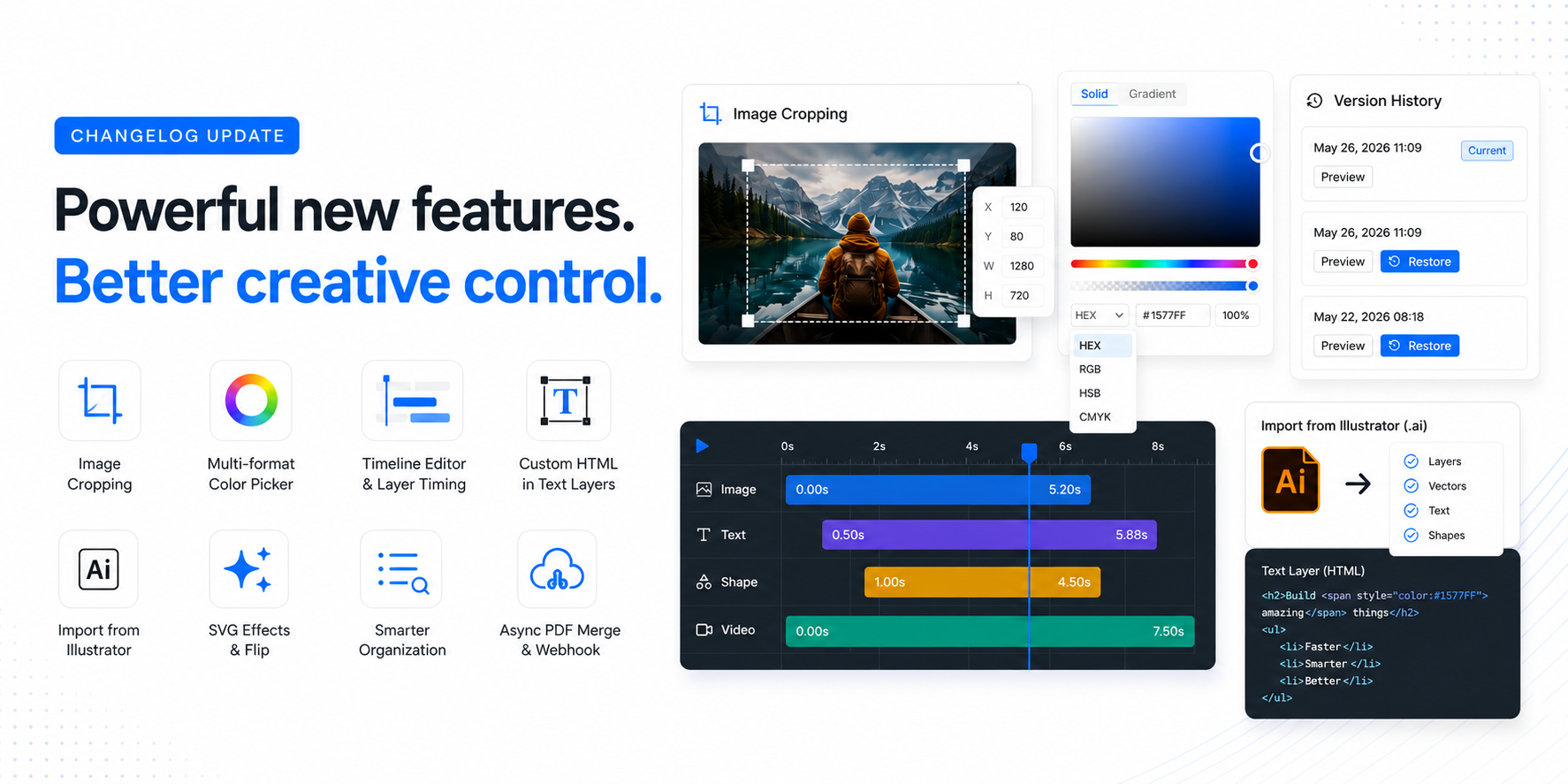
May 2026 Update - Version History, AUTOFIT Preview, Cropping, and a lot more! 🚀
Hey everyone!
It's been a while since the last update, but we've been busy shipping. Here's everything new in the last couple of months, from the long-awaited Version History to new import options, image cropping, and API additions.
Template Version History
One of the most requested features is finally here! Templates now keep a full version history, so you can browse previous versions and restore them with one click.
Every time you save, a version snapshot is created. You can preview any past version and go back to it if something goes wrong. No more losing work or asking us to recover a template.
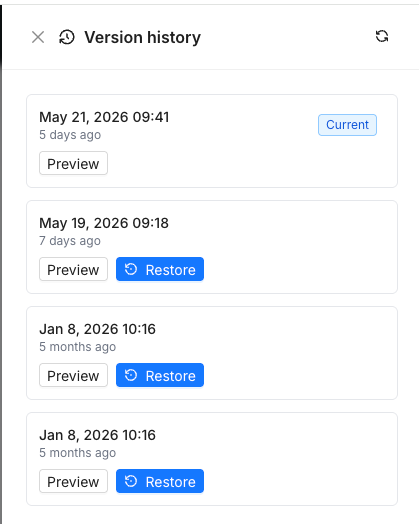
Whether you accidentally deleted layers, want to compare changes, or just need to undo a bad edit from last week, version history has you covered.
Live Text Autofit While Typing
Another highly requested one! Text autofit now updates in real-time as you type. No more saving or clicking away to see how your text fits, it adjusts the font size instantly as you edit.
We also added a new Shrink autofit mode that only reduces the font size (never increases it). Set your max font size and the text will only shrink to fit, keeping your design consistent.
Improved Image Cropping
You can now better crop images directly in the Editor. Select any image layer, enable cropping (double click on the image layer), and adjust the visible area with precision controls for X/Y position.
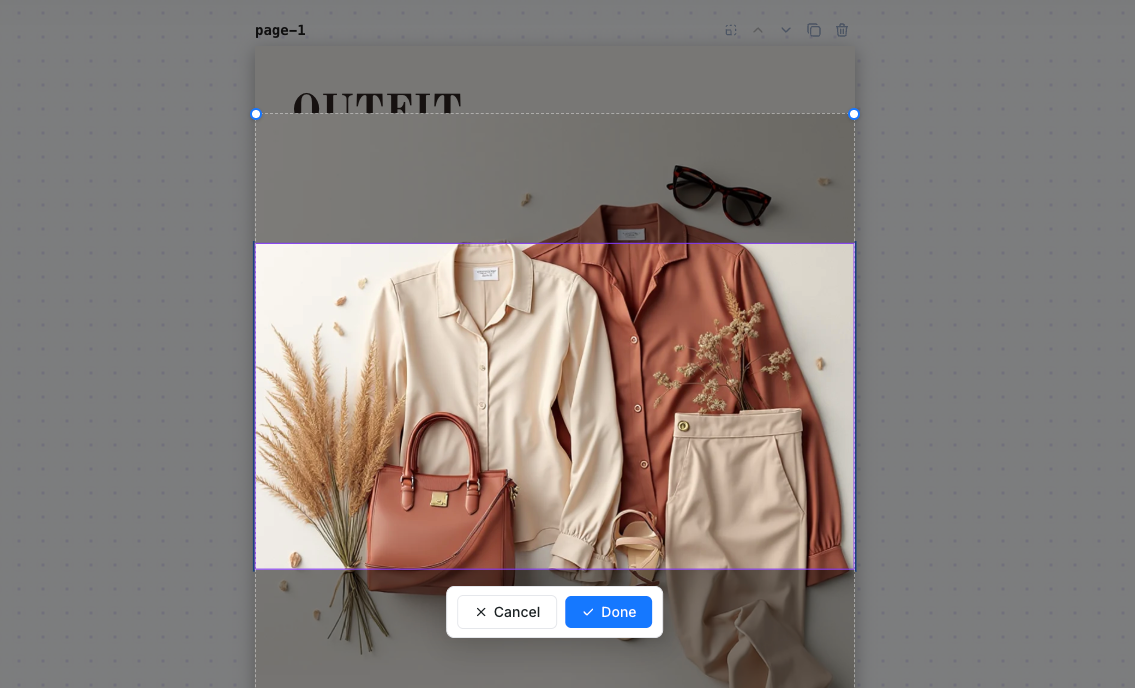
This also works via the API with the new crop_x and crop_y parameters, so you can control exactly which part of an image is visible when rendering programmatically.
Gallery Fonts API Endpoint
New API endpoint GET /v1/fonts/gallery with search and pagination. You can now browse our full font library programmatically, search by name, and paginate through results.
This was a popular request from developers building custom font selection UIs on top of our embedded editor or API.
Import from Illustrator (.ai)
You can now import Adobe Illustrator files directly into Templated! Upload any .ai file and we'll extract your layers, vectors, text, and positioning into an editable template.
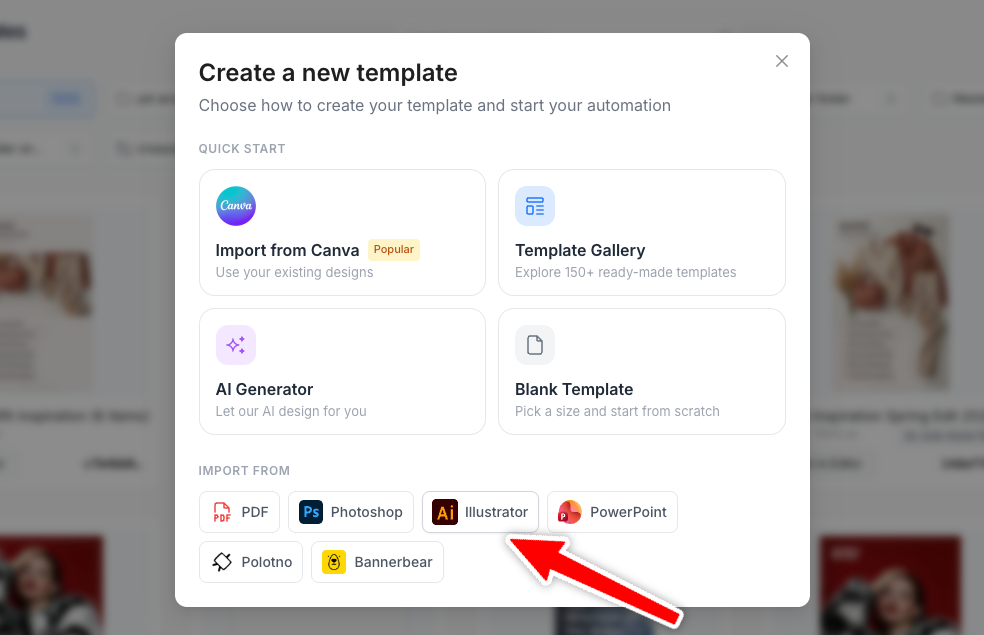
This joins our existing Canva and other import options, so whether your designs live in Illustrator, Canva, or PDF, you can bring them into Templated and automate them via the API.
Multi-format Color Picker (HEX, RGB, HSB, CMYK)
The color picker now supports multiple color formats. Switch between HEX, RGB, HSB, and CMYK directly in the picker. Great for print designers who need precise CMYK values or developers working with specific color formats.
Timeline Editor with Layer Timing Controls
The video timeline editor got a major upgrade. You can now control the exact start and end time of each layer directly from the timeline, with a new dark theme for better visibility.
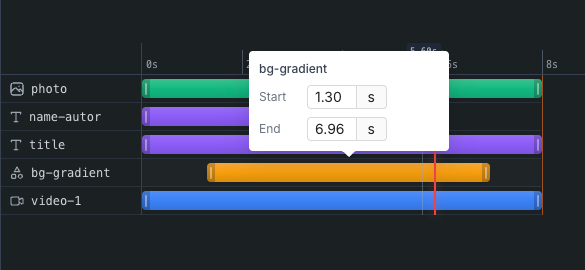
This makes it much easier to fine-tune your video templates. Control when each element appears and disappears without guessing.
SVG Flip & Filter Effects
SVG layers now support flip (horizontal/vertical) and filter effects like blur, brightness, contrast, and more. Combine them for creative variations, all controllable via the API.
More Improvements
Folder Search & Collapse
The folder panel now has a search bar and collapse/expand functionality. Find your folders instantly, even if you have hundreds.
Japanese Language Support
The editor UI is now available in Japanese (日本語), joining English, Spanish, Portuguese, French, German, Dutch, Chinese, and Czech.
Async PDF Merge with Webhook
PDF merge requests can now run asynchronously with webhook delivery. Send your merge request, and we'll POST the result to your webhook URL when it's ready. No more polling.
Custom Filename for Merged PDFs
You can now specify a custom filename when merging PDFs via the API using the filename parameter.
Embed Editor: Download Event
The embedded editor now fires a DOWNLOAD postMessage event, so your host application can listen for when users download their renders.
Preserve Ratio for SVG Layers
New preserve_ratio API parameter for SVG layers. When enabled, the SVG maintains its original aspect ratio when resized. Useful for logos and icons that shouldn't be stretched.
Mobile Preview Modal
Mobile users now get a preview modal when downloading images, making it easier to review renders on smaller screens.
Fixes
Opacity restoration: Fixed a bug where layer opacity was being reset to default values on static layers during video playback, making components unselectable
Video rendering dimensions: Fixed an issue where odd-pixel dimensions
List rendering: Restored native
<ol>and<ul>rendering in text layersText alignment: Fixed incorrect default alignment value when processing templates
Canvas translation: Prevented browser auto-translate from breaking canvas content in the editor
Canva import: Improved robustness of the Canva import parser
Zoom & auto-center: Improved zoom calculation so templates are properly centered when opened
That's it for this update!
A lot of quality-of-life improvements and some powerful new features. As always, let us know what you'd like to see next on our feedback board.
Until