July 21st, 2025
New
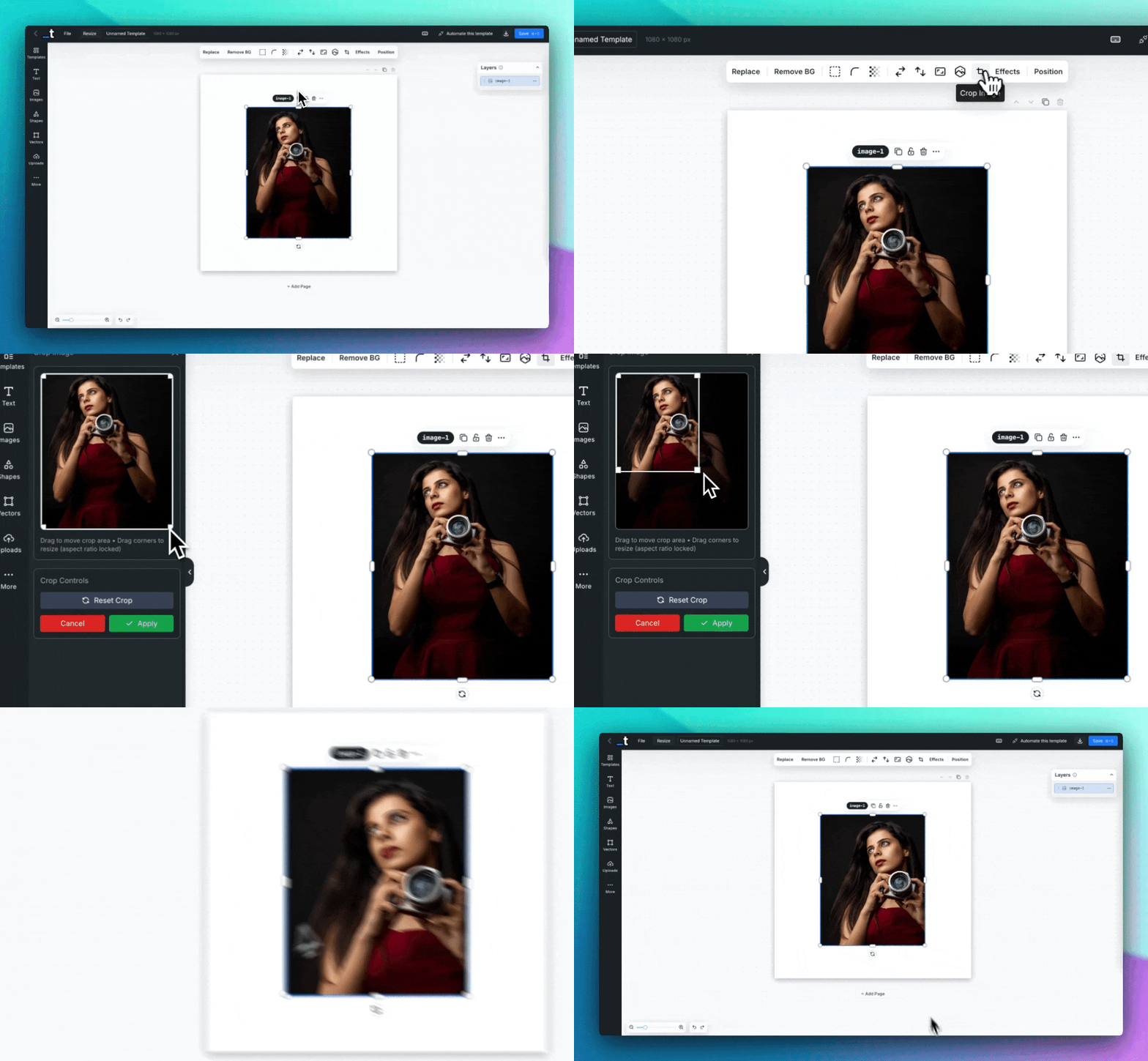
Need to crop your images? ✂️
We've added an Image Crop feature that allows you to crop and adjust your images directly within the editor for precise framing and composition.
This feature is useful for removing unwanted parts of images, focusing on specific areas, adjusting aspect ratios, and creating better compositions for your designs.
Interactive Cropping - Click and drag to select the area you want to keep from your image with visual crop handles.
Non-destructive Editing - Crop your images without permanently altering the original file.
How to try it:
Select any image element in your template
Click the "Crop" button in the toolbar (crop icon)
Use the crop handles to select the area you want to keep
Adjust the crop area by dragging the corners or edges
Apply your changes or cancel to revert
This feature works with all image types and integrates seamlessly with other image editing tools like masking, effects, and object fit options.
That's one that have been requested for a while now and I'm glad we finally have it.
If you have any other suggestions, please let us know in the chat :)
Thanks!