October 6th, 2025
New
Improved
✨ New Features and Improvements
Hey there!
Just a quick update to let you know what we’ve been working, our recent new features, bug fixes and improvements.
We’re always listening to your feedback and suggestions and we even added a new board where you can summit your ideas, report bugs and follow our roadmap:
👉 Check our feedback board and roadmap here!
• Copy and Paste layers (including between tabs/templates)
You’re now able to Copy (Cmd + C) and Paste (Cmd + V) layers.
That’s particularly useful when you need to duplicate elements to a different page or even to a different template that you can open a different browser tab.
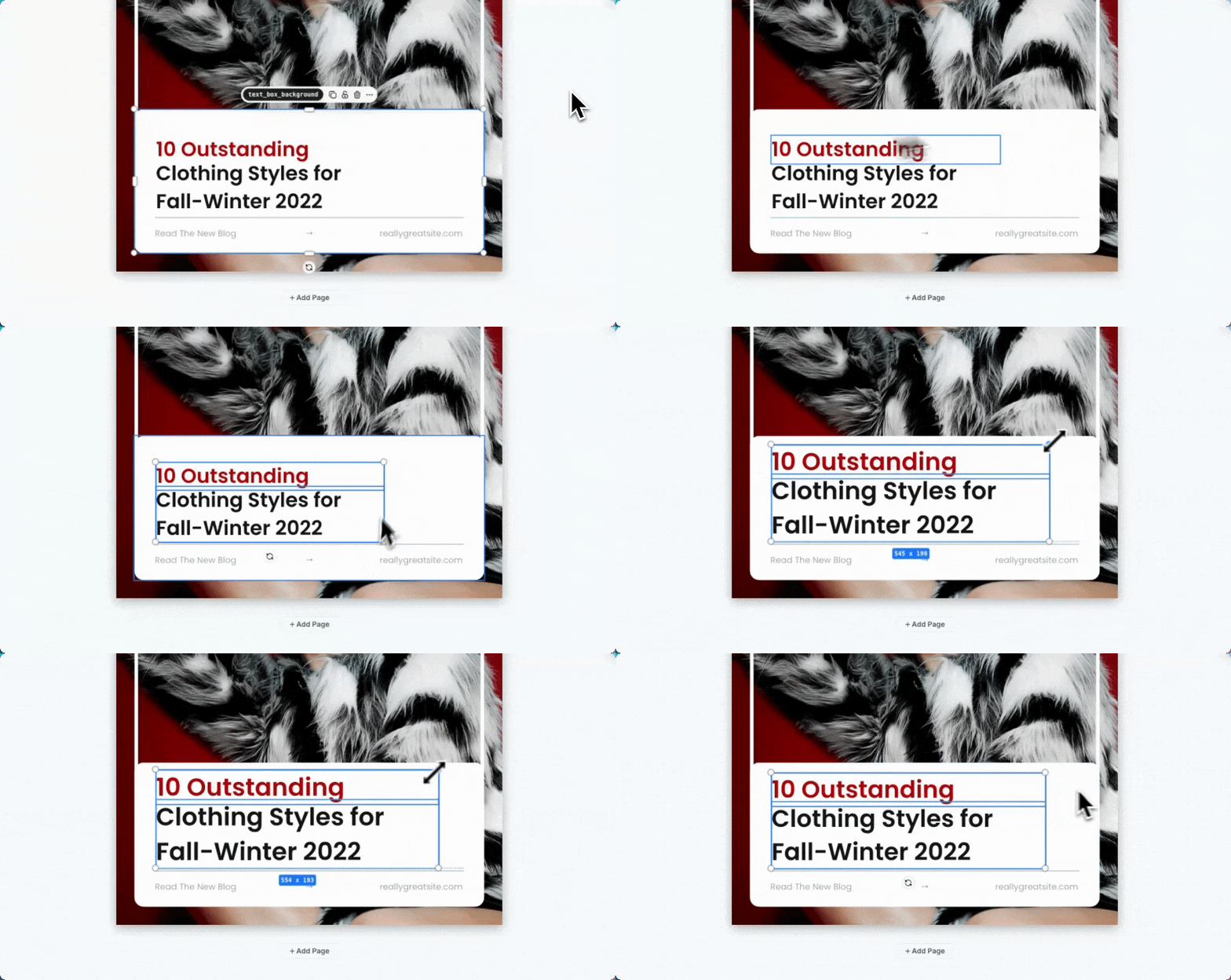
• Multi-Select Resizing
Select multiple elements or layers at once and resize them all together using the corner handles. This makes batch editing much faster and more efficient.

• Uploaded SVG Color Control via API
You can now control uploaded SVGs fill and stroke directly through the API. This gives you more flexibility when working with uploaded assets programmatically.
• Endpoint to Delete Uploads
We've added a new endpoint that accepts a list of upload IDs for deletion. This is perfect for workflows where you need to temporarily upload files and clean them up after your process is completed. You can find it in the docs here.
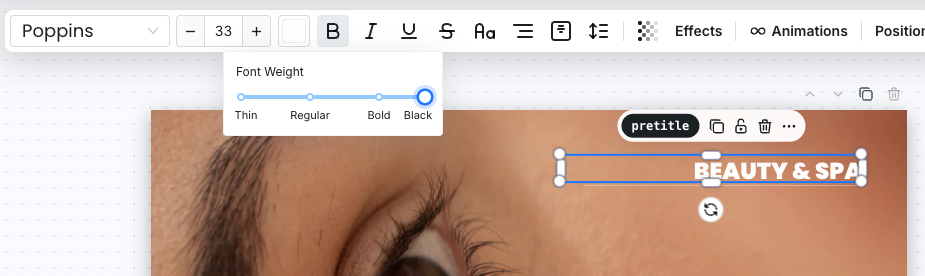
• Multiple Levels of Text Boldness
Text layers now support multiple font weight levels including thin, normal, semibold, bold, and extrabold. This gives you more precise control over your typography.
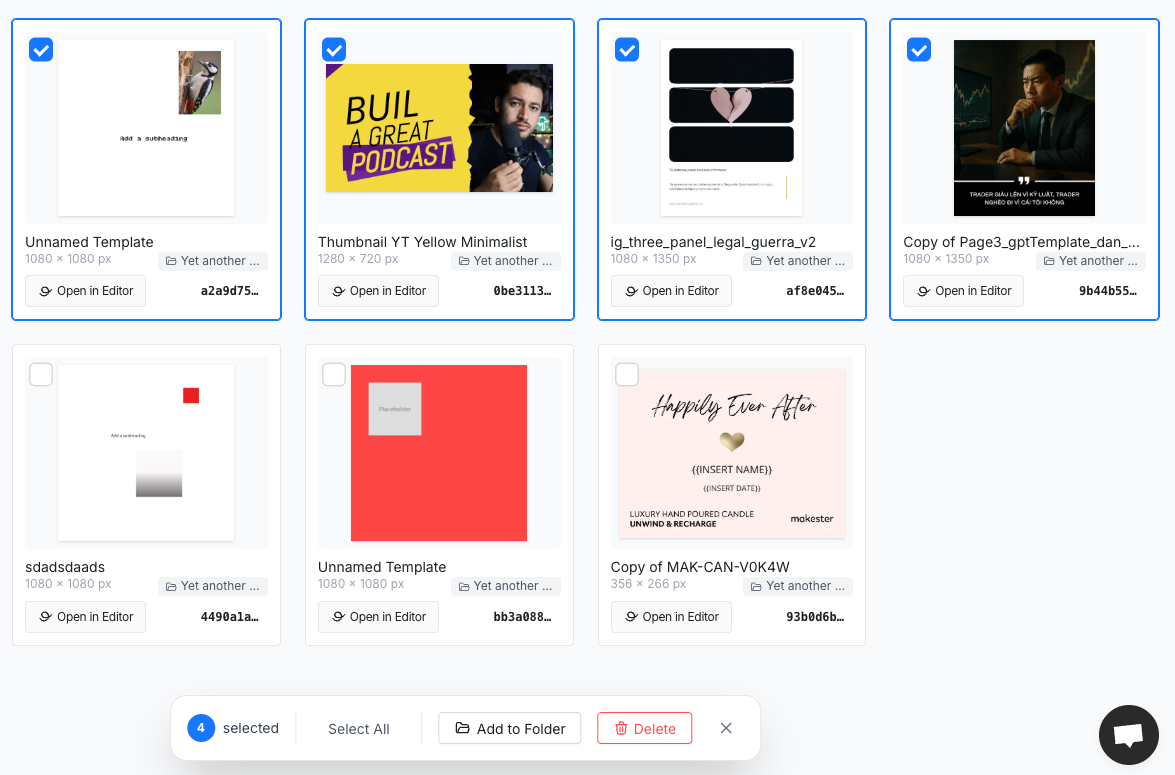
• Bulk Actions on Templates and Renders
You can now perform bulk actions directly in the dashboard:
Templates: Add to folder or remove multiple templates at once.
Renders: Download or remove multiple renders in one go.
This makes managing your workspace faster and more convenient than ever.
Improvements and fixes:
Enhanced API flexibility for upload management
Streamlined multi-element editing workflow
Better resource cleanup options for temporary uploads
More granular text styling controls
Show angle while rotating elements
That’s it for this update 😉
Hope it improves your workflow and your automations.
Until the next one,
Pedro