July 17th, 2025
New
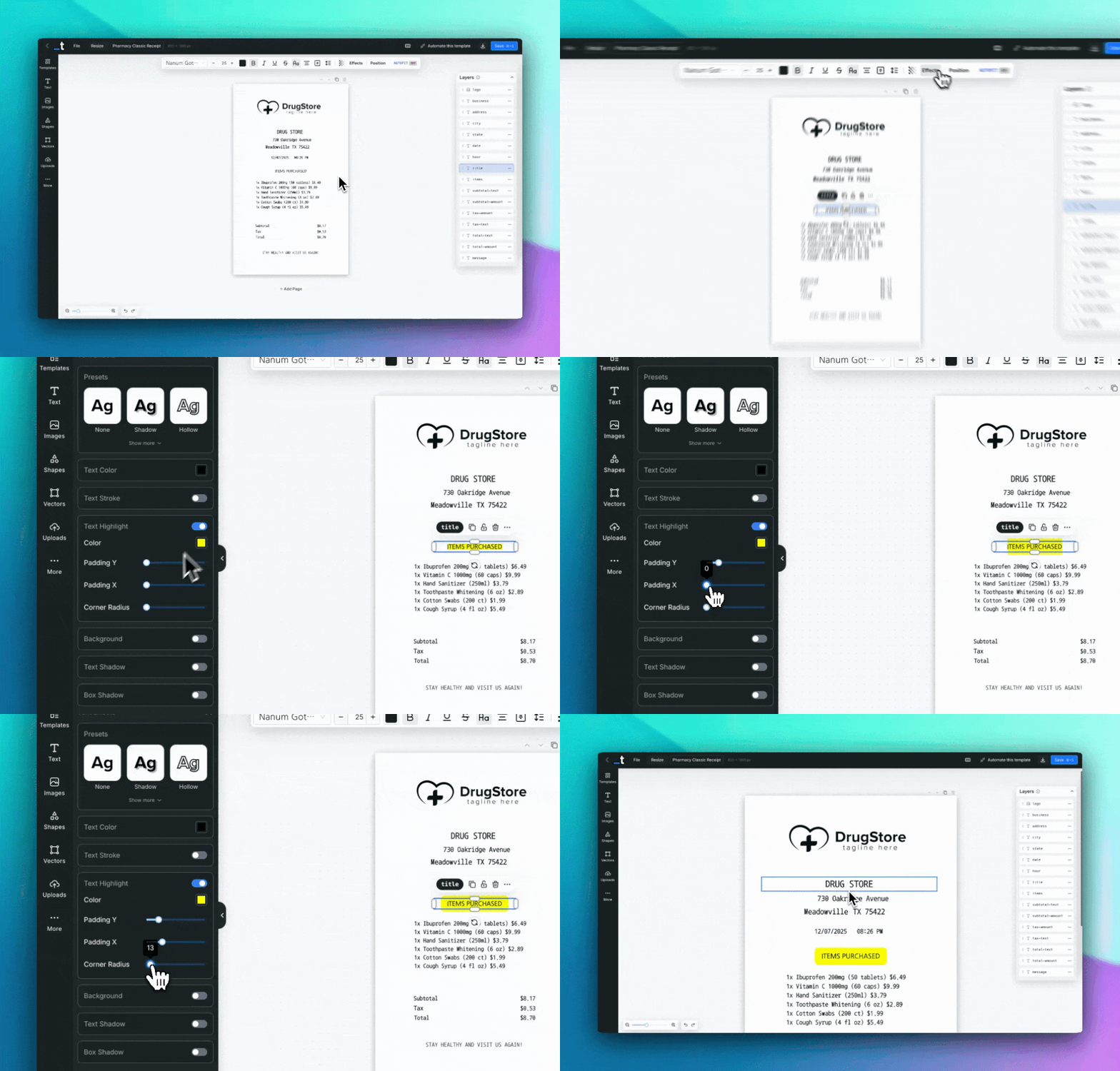
Text Highlight Feature ✨
We've added a Text Highlight feature that allows you to add customizable highlighting to your text elements for better emphasis and visual impact.
This feature is useful for call-to-action buttons, important announcements, quotes, testimonials, and any text that needs additional emphasis in your designs.
What you can do with it:
Toggle Control - Enable or disable text highlighting with a toggle switch in the Text Effects panel.
Color Customization - Choose any color for your text highlights to match your design requirements.
Padding Control - Adjust both vertical and horizontal padding independently (0-100px) to control the highlight size around your text.
Border Radius - Add corner rounding (0-200px) from sharp rectangular highlights to fully rounded pill shapes.
Highlight Preset - Use the pre-configured yellow highlight preset or create custom combinations.
History Integration - Full undo/redo support for easy experimentation and changes.
How to Get Started:
Select any text element in your template
Open the Text Effects panel from the sidebar
Toggle on "Text Highlight"
Customize the highlight color, padding, and corner radius as needed
Or use the "Highlight" preset for quick yellow highlighting
This feature works alongside other text effects like shadows, strokes, and backgrounds for comprehensive text styling options.
Let us know if any feedback on that.
Thanks!